

Enhance your AI experience with the Perplexity API for real-time data capabilities. Follow these steps to set it up:
1. Get Your API Key
- Visit Perplexity AI to generate an API Key.
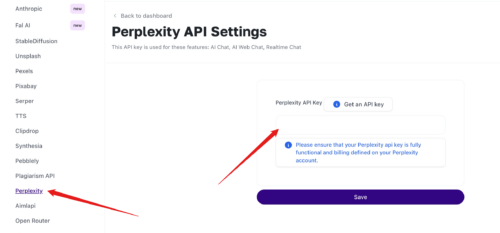
- Go to API Integration > Perplexity on your MagicAI dashboard.
- Enter and save your API Key.
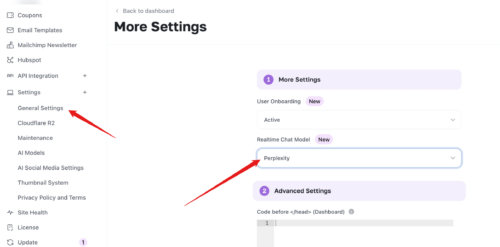
- In General Settings, click More (advanced settings).
- Under Realtime Chat Model, select Perplexity.
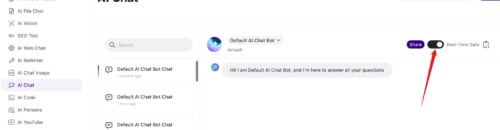
- AI Chat: Enable the Realtime Data option to activate Perplexity.
- AI Web Chat: Perplexity is enabled by default.


